Introduction
Homeowners who rely on robot lawn mowers often encounter uneven borders where the mower fails to reach the very edge of the lawn. This guide explains how to prevent edge misses by using wire‑free technology, virtual boundaries, and precise cutting adjustments. Readers will learn to assess their yard, configure smart zones, select the appropriate mower, and maintain optimal performance. By following these steps, one can achieve a professional‑grade finish without manual trimming.
What You'll Need
- One of the recommended robot mowers (details below)
- Smartphone with the mower's companion app installed
- Measuring tape or laser distance measurer for zone planning
- Optional: garden stakes, extension cables, and a small hand‑trimmer for final touch‑ups
Step 1: Evaluate Your Lawn Size and Terrain
Begin by measuring the total square footage of the area you intend to mow. For properties up to 0.5 acre with slopes and uneven terrain, the Sunseeker X5 AWD Robot Mower is engineered for up to 21,780 sq ft., 30° slopes, and thick turf. Its all‑terrain AWD system and Vision AI ensure stable operation on bumps and roots. For smaller yards under 0.3 acre, the Sunseeker X3 Plus Robot Mower offers precise edge cutting and virtual boundaries at a price of $836.99 with a 4.1‑star rating. If your budget allows a mid‑range model with advanced LiDAR, consider the MOVA LiDAX Ultra 1000, which handles 45% slopes and provides 3D mapping for complex layouts. Selecting the correct mower based on size and terrain eliminates the need for manual edge correction later.
Step 2: Create Wire‑Free Virtual Boundaries
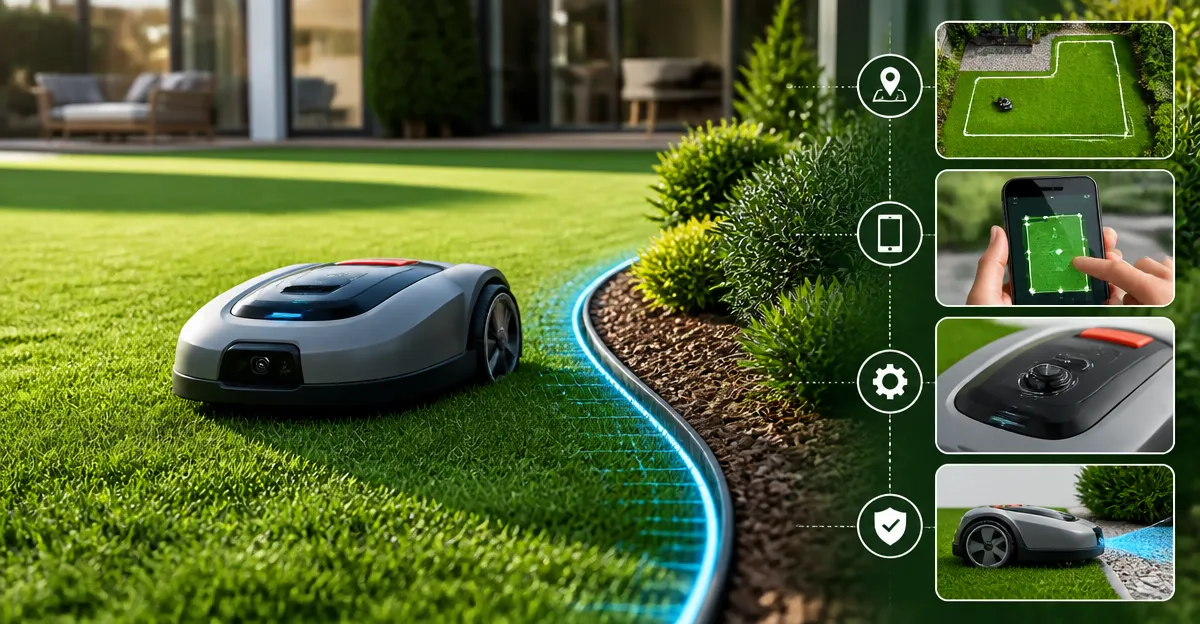
Using the companion app, draw virtual perimeters that define the mowing area. The Sunseeker series employs RTK + VSLAM navigation, allowing you to set up to five maps and smart zones without trenching. When you first launch the app for the Sunseeker X5, enable the "No‑Go Zones" feature to protect flower beds, pools, and decorative stonework. For the Sunseeker X3 Plus, the wire‑free virtual boundaries are created by dragging lines on the map; the mower will respect these limits even under tree cover. The Segway Navimow i105N adds AI‑assisted mapping that automatically detects lawn edges, reducing the time spent on manual boundary drawing. Properly defined zones guide the mower to the outermost 31.5‑inch passages, ensuring that the cutting deck follows the exact contour of sidewalks and fences.
Step 3: Adjust Cutting Height and Edge‑Trimming Features
Edge precision is largely determined by the mower's cutting height and any built‑in trimming mechanisms. The Sunseeker X5 offers an 8.7‑inch floating cut that adjusts from 1.6 to 3.2 inches, providing a clean border on most grass types. For homeowners who need a dedicated string‑trimmer, the ECOVACS Goat O1000 integrates a built‑in trimmer that reaches within 0.8 m of obstacles, delivering a crisp edge without additional tools. Its dual‑LiDAR navigation ensures the mower stays within 2 inches of walls, while the adjustable cut height (up to 3.2 inches) accommodates both cool‑season and warm‑season grasses. When mowing a sloped lawn, the MOVA LiDAX Ultra 1000's UltraTrim 1.0 disc can be set to the lowest height to maintain contact with uneven ground, preventing grass from escaping the cut line.
Step 4: Optimize Navigation Settings for Obstacles and Weather
Robust obstacle avoidance reduces the likelihood of the mower veering away from the edge. The Sunseeker X5 employs Vision AI to detect common objects and re‑route in real time, a feature praised in user reviews for handling tree roots and garden décor. The MOVA LiDAX Ultra 1000 expands detection to over 300 obstacle types using 3D point‑cloud data, making it ideal for yards with numerous toys or pet accessories. Enable rain sensors in the app to pause mowing during wet conditions; the Sunseeker X3 Plus automatically delays operation for two hours after detecting precipitation, preventing slippage on wet grass. For the Segway Navimow i105N, set the “Assist Mapping” mode to capture under‑tree pathways, then disable camera‑assisted positioning if map loss occurs, as suggested by experienced users.
Step 5: Schedule Maintenance and Fine‑Tune Performance
Regular maintenance ensures the mower continues to hit the edge accurately. Replace blades according to the manufacturer’s schedule—Sunseeker recommends blade checks after each season, while the MOVA Ultra 1000 provides a 14‑blade kit for bi‑monthly replacement. Clean the LiDAR sensors and Vision cameras weekly to avoid false obstacle detection; a simple rinse with water suffices for the ECOVACS Goat O1000, which is IP‑rated. Adjust the mowing schedule so the mower operates during daylight for models that lack night‑time capability, such as the Sunseeker X5, which only mows from dawn to dusk. Finally, review the app’s performance logs after each session to confirm that the mower completed the outermost pass; if gaps remain, expand the virtual boundary by an additional 12 inches as recommended by Segway support.
Tips & Pro Tips
- Map the lawn when the grass is at a uniform height; tall patches can be mistaken for obstacles.
- Place the RTK antenna on the highest unobstructed point to improve satellite lock, especially for the Sunseeker X5.
- Use garden stakes to temporarily mark tricky corners while drawing virtual boundaries; remove them after mapping.
- For steep slopes, enable the “climb” mode on the MOVA LiDAX Ultra 1000 to prevent the mower from disengaging.
- Combine two robot mowers—one for bulk coverage (e.g., Sunseeker X5) and one for precise edging (e.g., ECOVACS Goat O1000)—to achieve a flawless perimeter without manual trimming.
Troubleshooting
Problem: The mower stops short of the edge.
Solution: Verify that the virtual boundary extends at least 12 inches beyond the physical edge. Adjust the “Edge Offset” setting in the app if available, or create an additional “smart zone” that forces the mower to approach closer.
Problem: Frequent map loss after a software update.
Solution: Export the current map before updating, then re‑import after the update. For the Segway Navimow i105N, disabling camera‑assisted positioning during re‑mapping can prevent data corruption.
Problem: Battery drains rapidly on a 0.25‑acre lawn.
Solution: Reduce the cutting height to the minimum (1.2 inches for MOVA, 1.6 inches for Sunseeker) and select a slower mowing speed. This reduces power draw and extends runtime.
Conclusion
Preventing edge misses on a robot lawn mower requires careful yard assessment, precise virtual boundaries, appropriate cutting height, and diligent maintenance. By selecting a mower that matches the size and complexity of the lawn—whether it is the Sunseeker X5 for large, sloped properties, the Sunseeker X3 Plus for medium yards, the MOVA LiDAX Ultra 1000 for advanced 3D mapping, the Segway Navimow i105N for budget‑friendly small spaces, or the ECOVACS Goat O1000 for built‑in edging—homeowners can achieve a carpet‑like finish without manual labor. Apply the steps outlined above, and the mower will consistently hug the perimeter, delivering a professional appearance week after week.
Products Mentioned in This Guide
Frequently Asked Questions
What causes a robot lawn mower to miss the edges of my lawn?
Most edge misses occur because the mower’s navigation zone stops short of the border, or the mower lacks a wire‑free boundary to guide it along the perimeter.
How does wire‑free technology prevent edge misses?
Wire‑free systems use GPS or Bluetooth‑based virtual boundaries that tell the mower to stay within a defined perimeter, eliminating the need for physical perimeter wires.
Can I set up virtual boundaries without a dedicated app?
Yes, many models let you draw zones directly on the companion app, then sync them to the mower via Wi‑Fi or Bluetooth.
Which robot mower is best for lawns up to 0.5 acre with slopes?
The Sunseeker X5 AWD Robot Mower handles up to 21,780 sq ft. and 30° slopes, making it ideal for medium‑size, uneven yards.
What maintenance steps help keep edge cutting precise?
Regularly clean the cutting deck, check wheel alignment, and update the mower’s firmware to ensure accurate navigation and consistent edge performance.