Introduction
Maintaining a robot lawn mower requires periodic battery replacement and responsible lithium‑ion recycling. This guide explains why battery health matters, how to replace a battery safely, and where to recycle lithium components. Readers will learn step‑by‑step procedures, tools required, safety measures, and best practices for extending mower longevity. The article also highlights three ECOVACS robot mowers that illustrate typical battery specifications and recycling considerations.
Background and Context
Robot lawn mowers rely on high‑capacity lithium‑ion packs to deliver autonomous operation for several hours. Over time, charge cycles reduce capacity, leading to shorter mowing sessions and incomplete coverage. Replacing the battery restores original runtime and prevents unexpected shutdowns in the middle of a mowing cycle. Additionally, improper disposal of lithium batteries can cause environmental harm, fire hazards, and regulatory penalties. Understanding the chemistry of lithium‑ion cells and the recycling infrastructure is essential for responsible ownership.
Lithium‑ion batteries consist of a cathode, anode, electrolyte, and separator. When a cell reaches the end of its useful life, the internal resistance increases, and the voltage drops under load. Manufacturers typically rate the battery for a specific number of full charge‑discharge cycles, often between 300 and 500 cycles for consumer‑grade robot mowers. Exceeding this limit reduces performance and may trigger safety warnings in the mower’s firmware.
Battery Replacement Overview
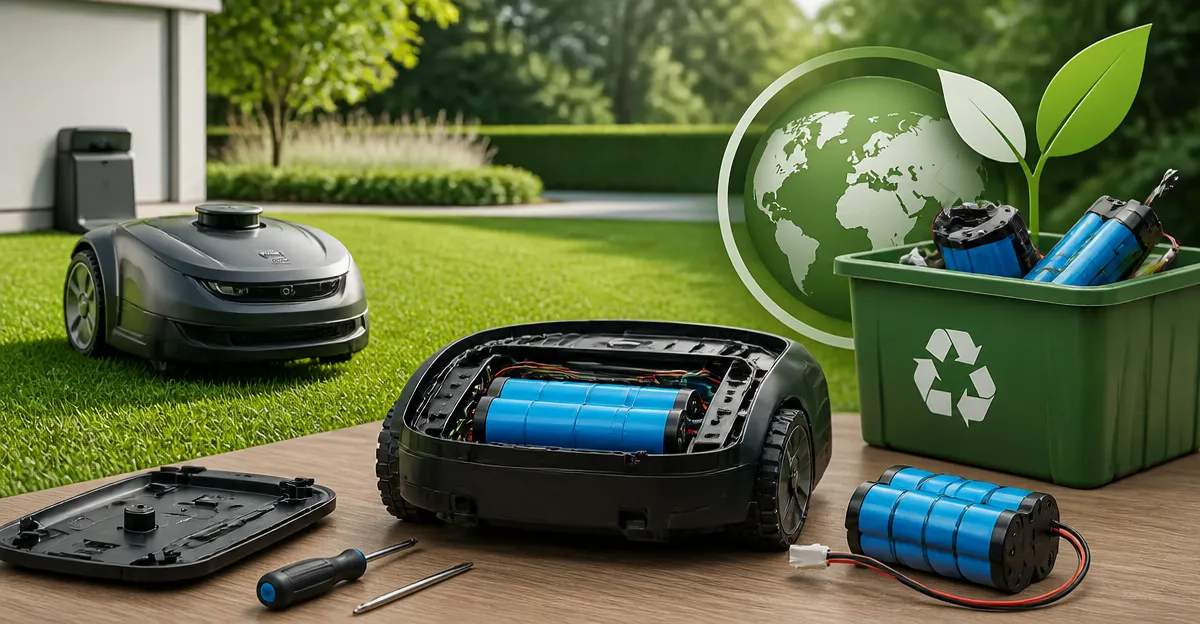
Replacing a robot mower battery involves three primary phases: preparation, removal, and installation of the new pack. Preparation includes gathering tools, reviewing the manufacturer’s service manual, and ensuring a clean workspace. Removal requires disconnecting the power source, opening the mower’s battery compartment, and safely extracting the old pack. Installation reverses the process, with careful attention to connector orientation and secure mounting.
While many users attempt a DIY replacement, some manufacturers recommend professional service to preserve warranty coverage. The following sections outline a method that satisfies most warranty clauses while remaining accessible to technically inclined owners.
Tools and Materials Required
- Screwdriver set (Phillips #1 and Torx T10)
- Plastic pry tool to avoid damaging housing
- Anti‑static wrist strap
- Replacement lithium‑ion battery compatible with the mower model
- Battery disposal bag or fire‑safe container
- Cleaning cloth and isopropyl alcohol
Having these items on hand reduces interruptions and ensures a smooth replacement process. For example, the ECOVACS Goat A2000 uses a 3.0 Ah, 32 V pack that can be sourced from authorized dealers. The same battery architecture applies to the ECOVACS Goat O1000 RTK and ECOVACS Goat O1000 LiDAR models, each featuring a removable pack rated for similar cycle counts.
Step‑by‑Step Battery Replacement Procedure
- Power Down and Disconnect. Ensure the mower is on a flat surface, turn off the unit, and remove the charging cable. Activate the anti‑static wrist strap and touch a grounded metal part to discharge residual electricity.
- Access the Battery Compartment. Using the appropriate screwdriver, remove the four screws securing the bottom cover. Gently pry the cover with a plastic tool to avoid cracking the housing.
- Detach the Old Battery. Locate the battery connector and press the release latch. Carefully pull the connector straight out to prevent pin damage. Lift the battery pack and place it in the fire‑safe container.
- Inspect and Clean. Examine the battery contacts for corrosion. Clean any residue with a cloth dampened with isopropyl alcohol. Allow the contacts to dry completely before proceeding.
- Install the New Battery. Align the new pack’s connector with the socket and press until the latch clicks. Verify that the pack sits flush within the compartment and that any mounting brackets engage securely.
- Reassemble the Cover. Replace the bottom cover and reinstall the screws. Tighten them in a diagonal pattern to ensure even pressure.
- Test the System. Reconnect the charging cable and allow the mower to charge for at least 30 minutes. Then start a short mowing cycle to confirm proper operation and that the runtime matches the specifications.
Following these steps restores full performance and reduces the risk of electrical faults. If the mower displays error codes after replacement, consult the user manual or contact authorized service personnel.
Lithium Battery Recycling Options
When a battery reaches the end of its service life, recycling is the preferred disposal method. Lithium‑ion cells contain valuable metals such as cobalt, nickel, and copper, which can be recovered and reused. Recycling also prevents hazardous chemicals from entering landfills.
Most municipalities provide designated drop‑off locations for electronic waste. Additionally, retailers such as Home Depot, Lowe’s, and Best Buy operate free recycling programs for lithium batteries. For larger quantities, specialized recyclers like Call2Recycle offer mail‑in kits that include prepaid shipping labels and safety instructions.
Before recycling, place the battery in a non‑conductive bag, tape the terminals with electrical tape, and label the package as “Lithium‑Ion Battery – Do Not Incinerate.” This preparation mitigates fire risk during transport.
Comparison and Selection Guide
Choosing the appropriate replacement battery depends on mower model, yard size, and usage frequency. The table below compares the three ECOVACS models discussed earlier.
| Model | Battery Capacity | Typical Runtime | Price (USD) | Rating |
|---|---|---|---|---|
| ECOVACS Goat A2000 | 3.0 Ah, 32 V | ≈ 90 minutes | 1,399.00 | 4/5 (153 reviews) |
| ECOVACS Goat O1000 RTK | 3.0 Ah, 32 V (RTK version) | ≈ 80 minutes | 664.00 | 4/5 (153 reviews) |
| ECOVACS Goat O1000 LiDAR | 3.0 Ah, 32 V | ≈ 85 minutes | 999.00 | 4.1/5 (134 reviews) |
For large lawns exceeding 0.25 acre, the A2000 provides the longest runtime and robust 32 V platform. Homeowners with tighter budgets may prefer the O1000 RTK, which includes additional replacement blades and an RTK extension cable. The O1000 LiDAR offers superior navigation in shaded or obstacle‑dense environments, making it ideal for complex yard layouts.
Best Practices and Tips
- Schedule battery replacement after 300 full charge cycles to maintain optimal performance.
- Store spare batteries in a cool, dry place at 40 %–60 % state of charge.
- Perform a firmware update before installing a new pack, as manufacturers may release calibration routines.
- Use only OEM‑approved batteries to preserve warranty coverage and ensure compatibility with the mower’s battery management system.
- Document the replacement date and serial number of the new battery for future reference.
Frequently Asked Questions
- How often should I replace the battery in my robot mower?
- Most manufacturers recommend replacement after 300–500 full charge‑discharge cycles, which typically corresponds to 2–3 years of regular use.
- Can I replace the battery myself without voiding the warranty?
- Yes, if the replacement battery is an OEM part and the service procedure follows the official manual, the warranty remains valid. Using third‑party packs may void coverage.
- What safety equipment is required during replacement?
- Wear insulated gloves, use an anti‑static wrist strap, and work in a well‑ventilated area away from open flames.
- Is it safe to charge a new battery immediately after installation?
- Allow the battery to rest for five minutes after insertion, then connect the charger and monitor the initial charge for any abnormal heat.
- How do I know if a battery is recyclable?
- All lithium‑ion packs are recyclable. Look for the recycling symbol on the battery label and follow local e‑waste regulations.
- What should I do if the mower shows a battery error after replacement?
- Check connector polarity, ensure the battery is fully seated, and perform a reset according to the user manual. If the error persists, contact authorized support.
Conclusion
Proper battery replacement and responsible lithium recycling are essential components of robot lawn mower maintenance. By following the detailed procedure, using the recommended tools, and adhering to safety guidelines, owners can extend mower lifespan and protect the environment. Selecting the right replacement battery—whether for the ECOVACS Goat A2000, ECOVACS Goat O1000 RTK, or ECOVACS Goat O1000 LiDAR—ensures reliable performance and compliance with warranty terms. Recycling spent packs through certified programs completes the stewardship cycle, turning used material into new resources.
Products Featured in This Guide
ECOVACS Goat A2000
Price: $1,399.00 – Rating: 4/5 (153 reviews)
Featured because it exemplifies a high‑capacity 32 V lithium‑ion pack and includes advanced Dual‑LiDAR navigation, making it a relevant reference for battery performance and replacement considerations.
ECOVACS Goat O1000 RTK
Price: $664.00 – Rating: 4/5 (153 reviews)
Featured for its RTK precision navigation and CARE blade bundle, illustrating how battery replacement integrates with advanced positioning technology.
ECOVACS Goat O1000 LiDAR
Price: $999.00 – Rating: 4.1/5 (134 reviews)
Featured because its dual‑LiDAR and AI obstacle avoidance demonstrate the importance of reliable battery power for sophisticated navigation.